
Compare paired illustrations. Check criteria, measurement steps, exceptions and the HUD source in one place.

NSPIRE Field Guide
The reference you need. Right where you need it.
Find the condition, check the inspection criteria, work through its score impact and organize the findings you need to review—all in one field reference.
Ready for offline use after setup. Connect to sign in, activate and download the complete Guide before using it without internet.
NSPIRE Field Guide · try it for yourself
From the condition
to the next decision.
Give your team a practical way to connect what they see with NSPIRE requirements, inspection steps and the possible scoring impact—throughout the working day.
clear where it matters.
Find a sample size, explore deductions and record findings. The calculator keeps repeats and scoring exceptions in view.
Save useful conditions, return to recent references and bring recorded findings together in the Field Review Summary.
Open the Guardrail search result.
Open full-window demo ↗A roomier view for phones. Return to this page whenever you’re ready.
19 conditions to explore · go at your own pace
See the condition. Know what to check.
Start with a missing guardrail. Put the condition, inspection example and exact requirement beside the work in front of you.
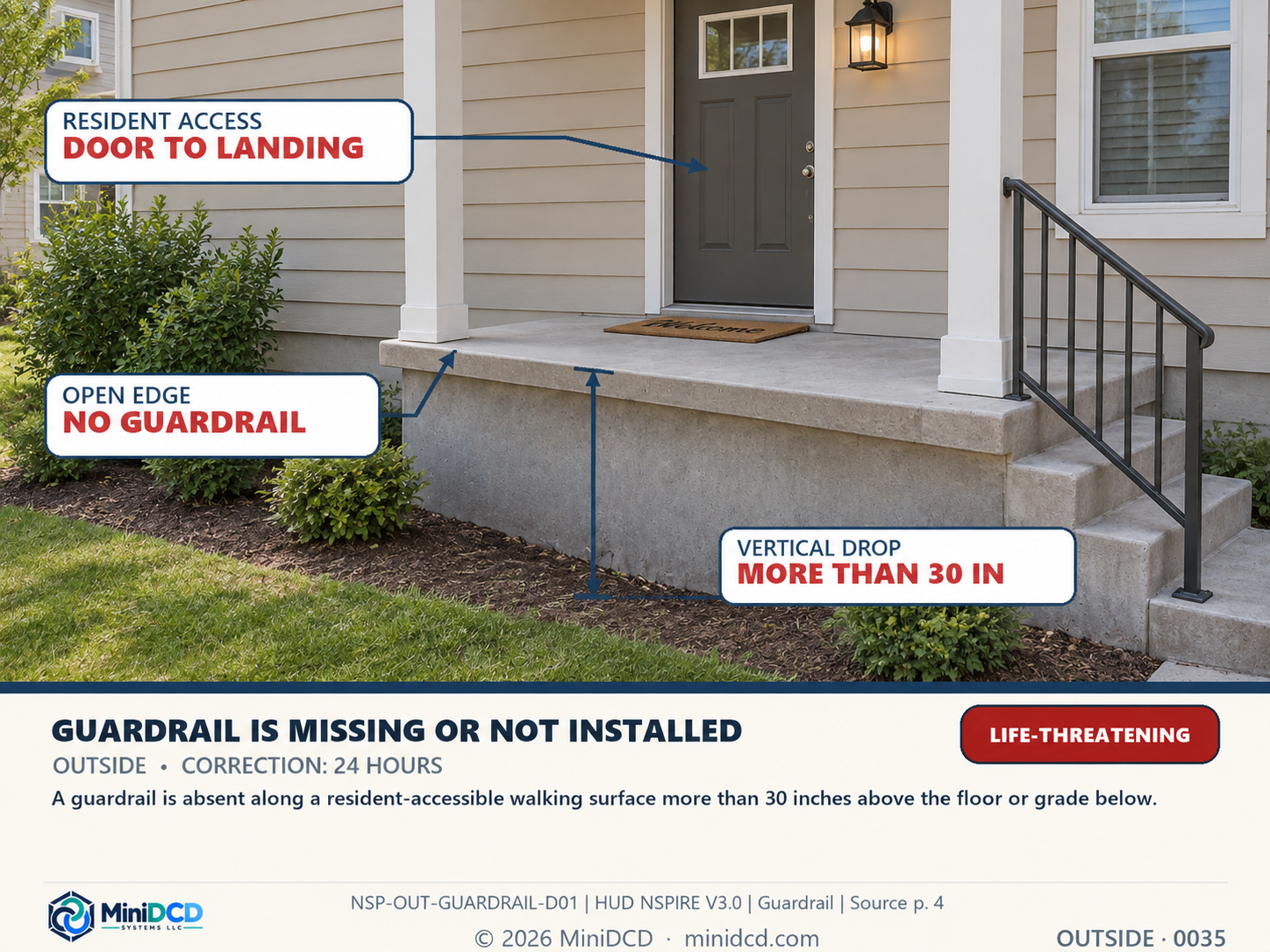
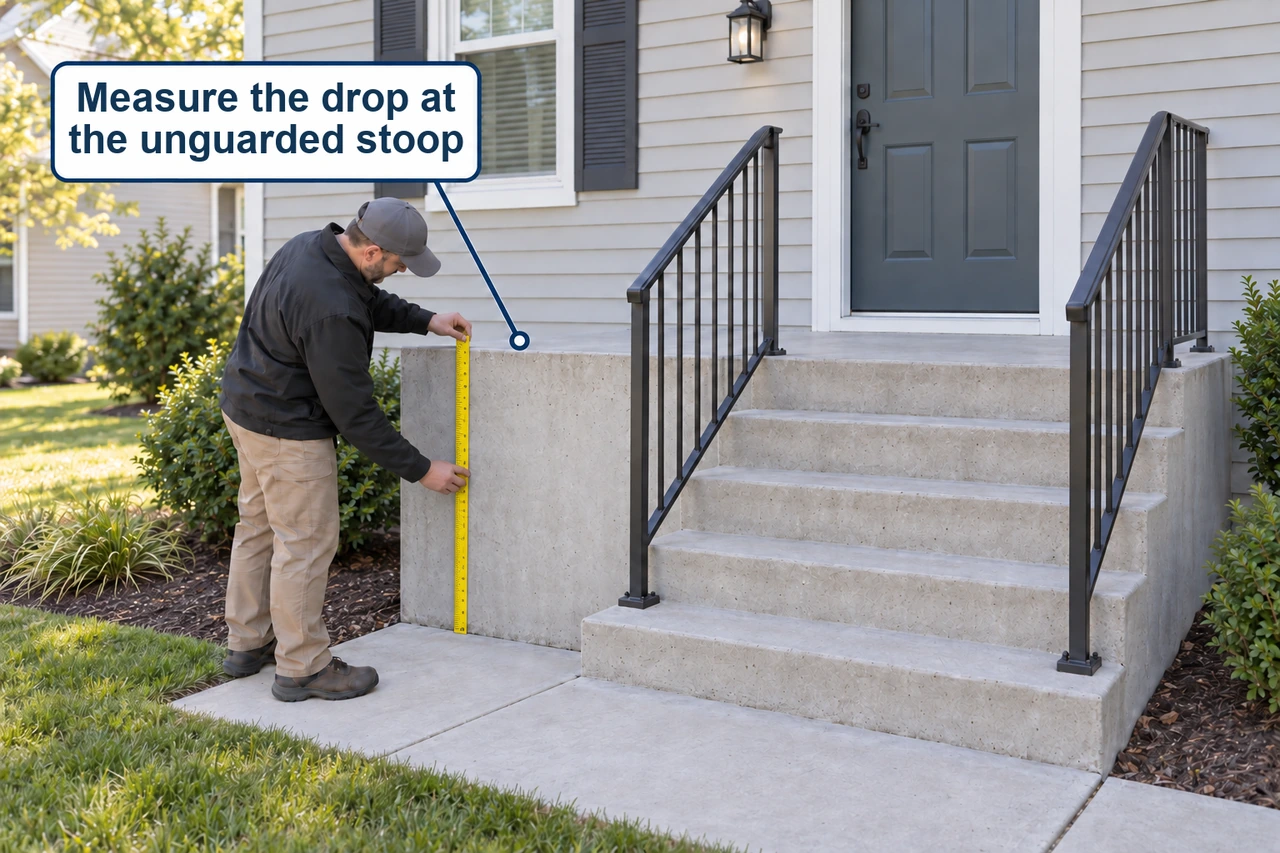
One condition. Two views. Criteria, exceptions and source references close at hand.
Explore the $79 Field Guide →Training + Guide · Bundle & Save →
Explore 19 selected conditions here. The full Guide includes 410 condition references and 820 paired illustrations, with online and downloaded offline use. Calculator results are estimates; official program requirements govern inspection decisions.
More than an illustrated reference
From a question
to a useful next step.
- Search and organized deficiency navigation
- Condition and inspection companion illustrations
- Severity and program-specific correction information
- Bookmarks and online/offline reference
- HUD sample-size lookup and what-if deduction calculator
- Findings log with location, repeat-counting and exemption handling
- Field Review Summary to review and print your working findings
The calculator supports Public Housing and covered HUD Multifamily scoring estimates. Voucher findings keep their pass/fail treatment. Use the included examples to follow a condition from its criteria into the findings log and Field Review Summary.
A one-time purchase
Your field reference.
Without a subscription.
Perpetual use of the purchased edition for one named buyer, with two active browser installations. All updates released for this NSPIRE Field Guide are included through the existing key; no promise is made about separate future products or editions. Guide access continues after Training expires.
Your Guide license covers two active browser installations. Saved conditions and calculator findings stay with the browser where you create them; they do not automatically move between installations. Contact support for installation or recovery help.
Review access and support terms →See it for yourself
Know what to look for.
Have a reference when it matters.
No account. No appointment. Explore at your pace.